Meta setup
Connecting AlphOne to WhatsApp takes one Meta app and four values. By the
end of this guide you will have filled in every ALPHONE_WHATSAPP_*
variable from Configuration and received
your first message in the CRM inbox.
You need:
- a Meta developer account
- your AlphOne instance reachable over HTTPS (Meta refuses plain-HTTP webhooks)
- a phone number that is not currently registered with WhatsApp or WhatsApp Business: a new SIM or an unused line, one that is not already registered on the consumer WhatsApp app
1. Create the Meta app
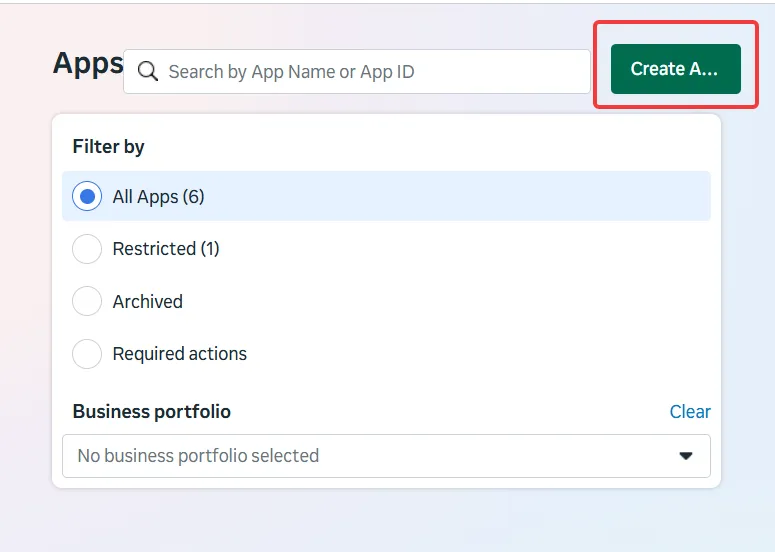
Section titled “1. Create the Meta app”Go to developers.facebook.com/apps and press Create App:
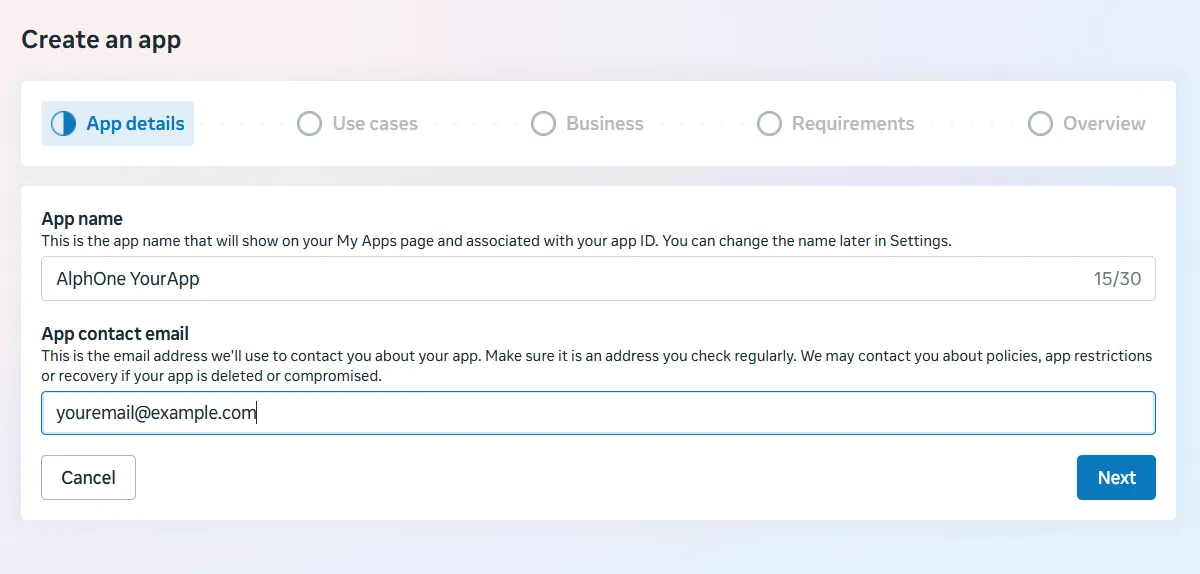
The wizard starts with App details. The name is internal, pick anything that identifies the deployment:
On the Use cases step, select Connect with customers through WhatsApp:
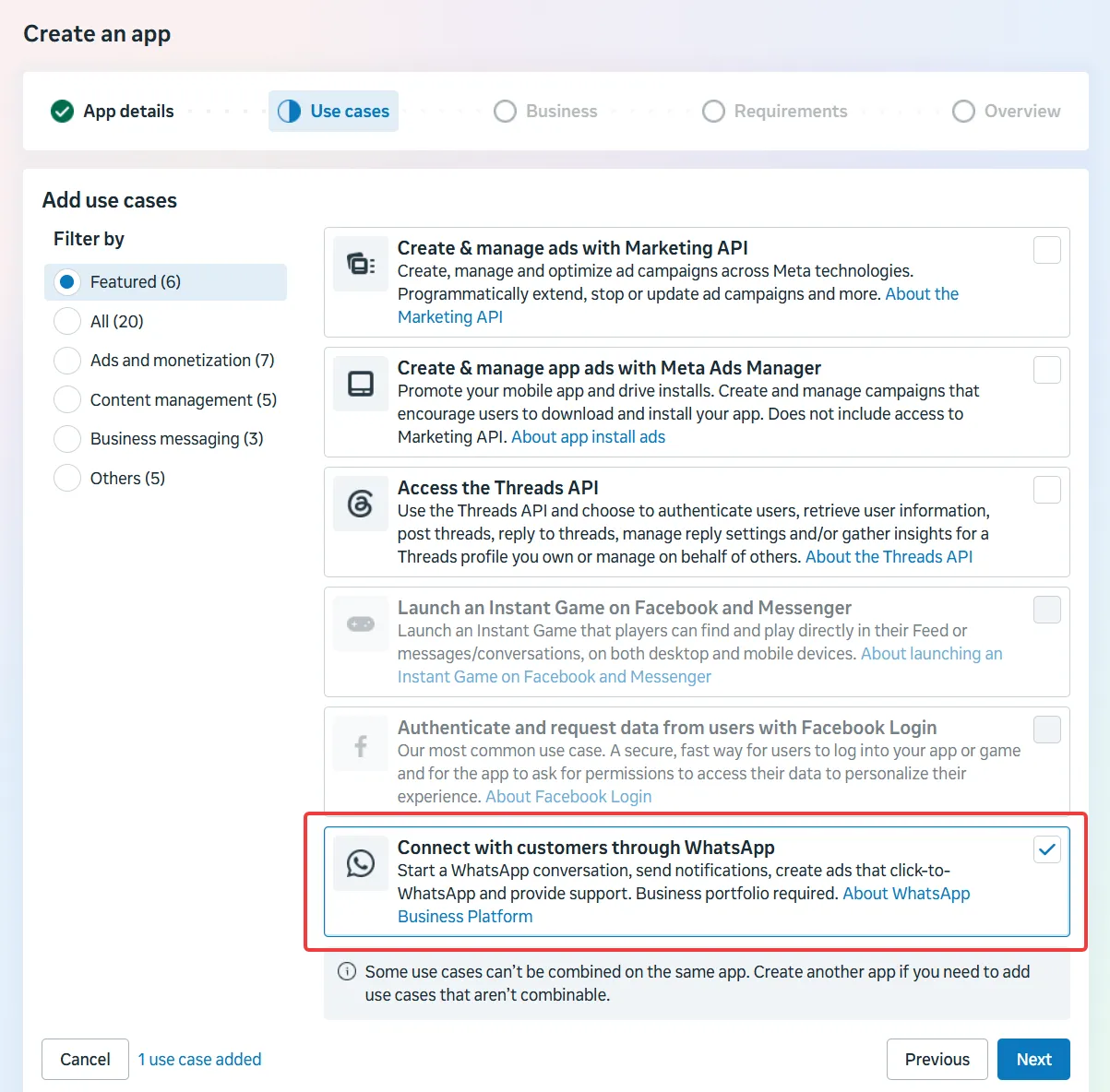
The use case requires a business portfolio. On the Business step, pick an existing portfolio or let the wizard create one, then continue through Requirements and Overview to finish.
2. Try it out with the test number
Section titled “2. Try it out with the test number”After creation Meta drops you into the use case customization, on Basic setup → Step 1. Try it out (1). Meta claims a free test number for you:
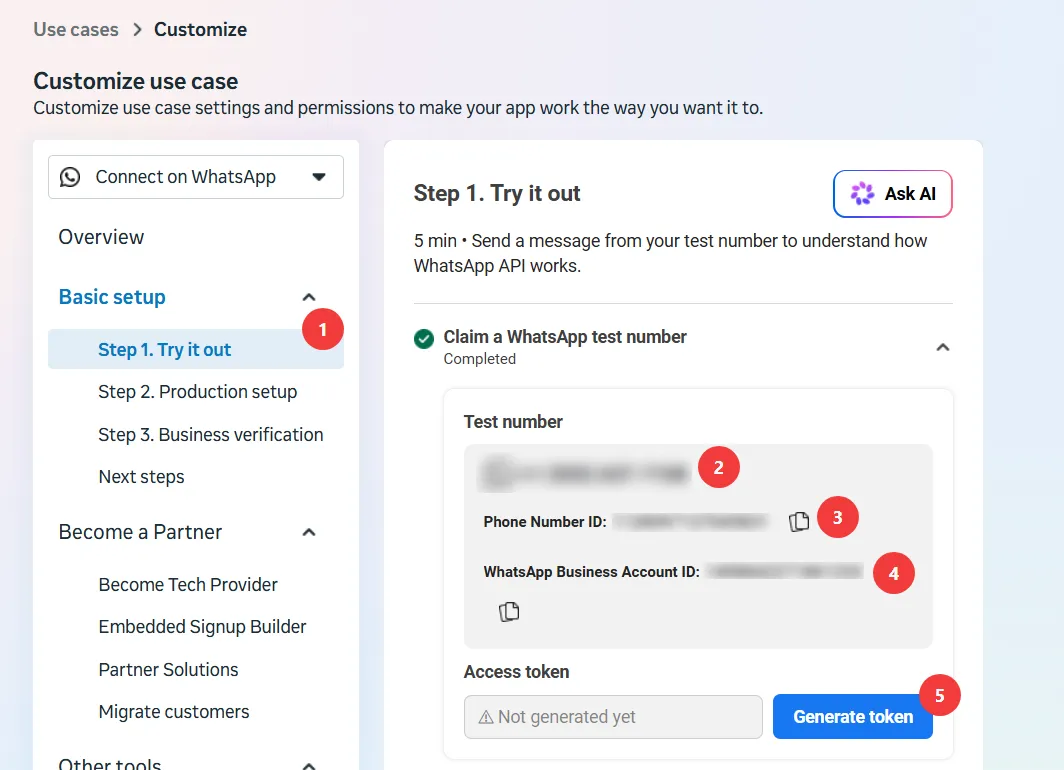
Two of the four values AlphOne needs are already on this screen:
- Phone Number ID (3) is
ALPHONE_WHATSAPP_PHONE_NUMBER_ID. Copy the ID, not the phone number itself (2). - Generate token (5) produces
ALPHONE_WHATSAPP_ACCESS_TOKEN.
The WhatsApp Business Account ID (4) is not used by AlphOne.
3. Copy the app secret
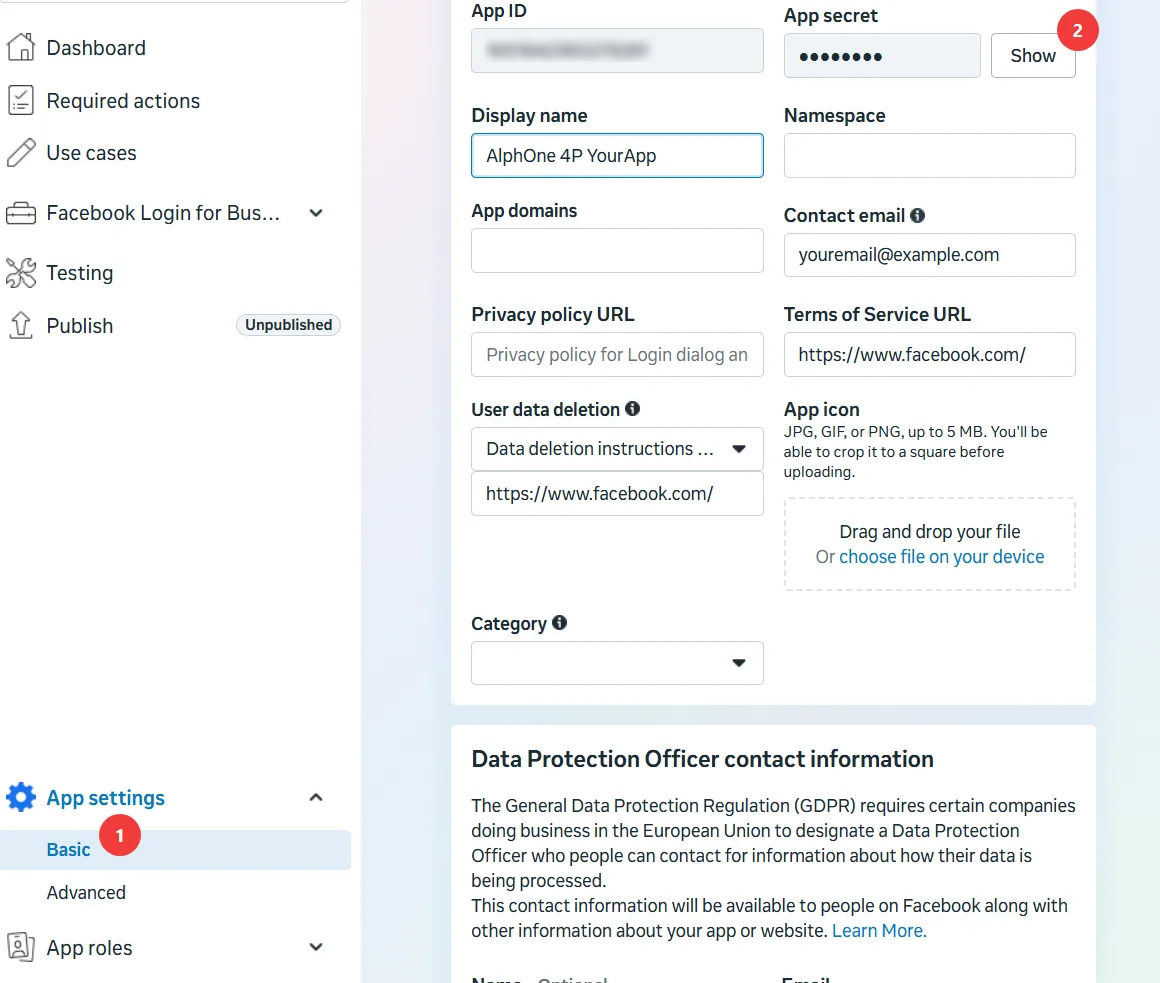
Section titled “3. Copy the app secret”AlphOne checks the signature Meta attaches to every webhook delivery,
which needs the app secret. Go to App settings → Basic (1), press
Show on the App secret field (2), and keep the value for
ALPHONE_WHATSAPP_APP_SECRET:
4. Configure the webhook
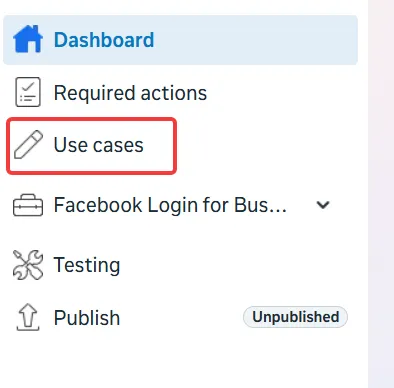
Section titled “4. Configure the webhook”To get back to this screen later, open Use cases in the sidebar and choose Customize:
Under Step 2. Production setup (1), open Configure Webhooks. Set the Callback URL to your instance’s webhook endpoint (2) and paste the verify token you invented (3), then press Verify and save (4):
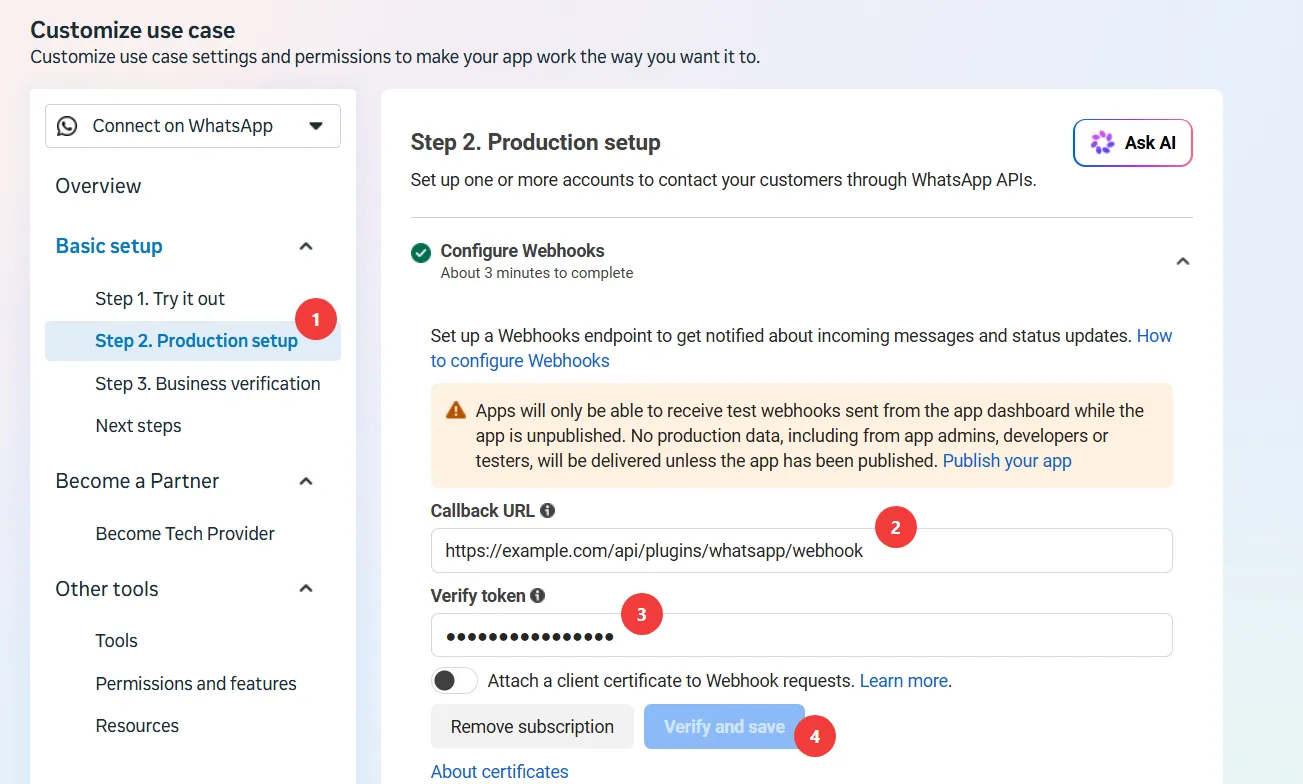
The Callback URL is always:
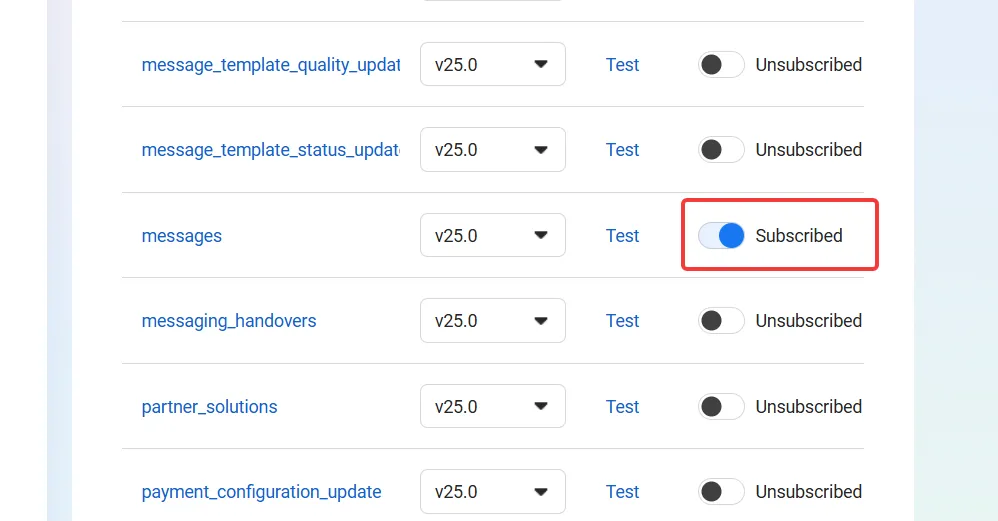
https://your-domain/api/plugins/whatsapp/webhookVerification alone delivers nothing yet. In the webhook fields table below, subscribe to the messages field, the only one AlphOne needs:
At this point, you can try to send a message to the test number from your phone.
It should appear in AlphOne’s inbox live. You may need to reload your Alphone
instance if you just added the webhook values to the .env and restarted it.
5. Go to production
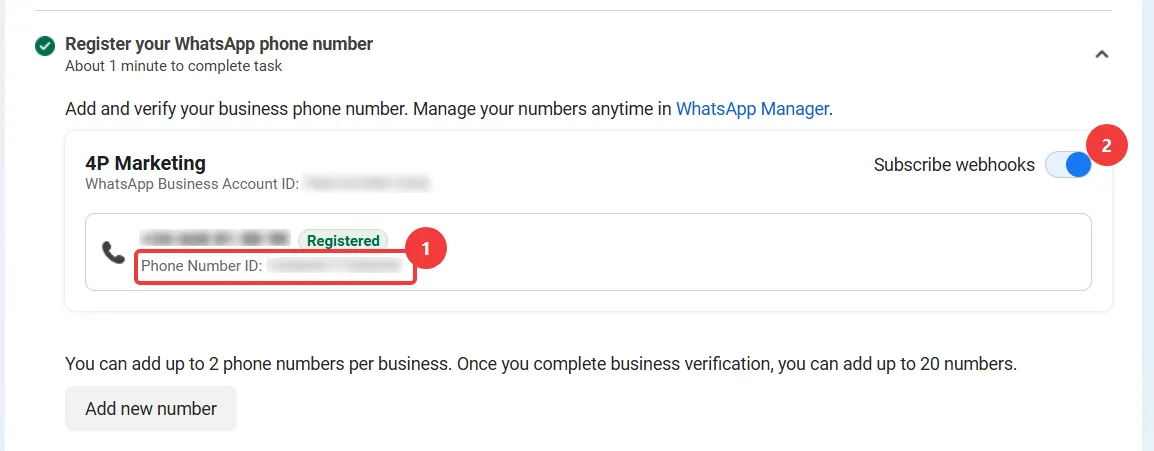
Section titled “5. Go to production”The test number is a sandbox. For the real business line, register your
own number under Step 2. Production setup → Register your WhatsApp
phone number. Once it shows Registered, copy its Phone Number
ID (1), which replaces the test one in
ALPHONE_WHATSAPP_PHONE_NUMBER_ID, and make sure Subscribe
webhooks is on for the number (2):
Then, under Send message, generate the permanent access token
for the business account and copy it (1) into
ALPHONE_WHATSAPP_ACCESS_TOKEN:
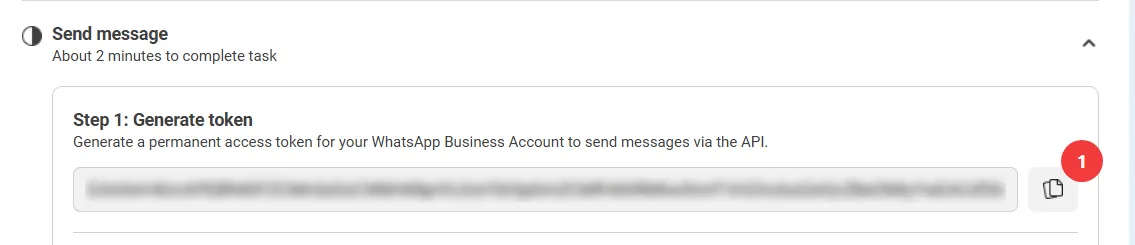
Unlike the test token, this one does not expire on its own.
6. Fill in AlphOne and restart
Section titled “6. Fill in AlphOne and restart”The four values, side by side:
| Variable | Where it came from |
|---|---|
ALPHONE_WHATSAPP_VERIFY_TOKEN | Invented by you in step 4, pasted on both sides. |
ALPHONE_WHATSAPP_APP_SECRET | App settings → Basic → App secret (step 3). |
ALPHONE_WHATSAPP_ACCESS_TOKEN | The permanent token (step 5), or the 24-hour test token (step 2). |
ALPHONE_WHATSAPP_PHONE_NUMBER_ID | The production number’s ID (step 5), or the test number’s (step 2). |
Put them in the .env of your self-hosted
install and recreate the container:
cd /srv/alphonedocker compose up -dFor local development, put them in the
repository’s .env and restart go run ./cmd/alphone serve.
7. Send the first message
Section titled “7. Send the first message”Send a WhatsApp message from your phone to the business number. The conversation appears in AlphOne’s inbox live, without a reload, and you can answer it from there.
If it does not:
- Webhook verification failed in step 4: AlphOne was not running,
not reachable over HTTPS, or the verify token in
.envdoes not match. Fix, restart AlphOne, and press Verify and save again. - Messages never arrive: check the messages field subscription (step 4), the number’s Subscribe webhooks toggle (step 5), and whether the app is published.
- Sending fails after a day: the Graph API returns error 190, which
means the temporary test token expired. Generate the permanent token
from step 5 or regenerate a new test token from step 2 and replace it in
.env.